Indoor LED Video Wall Buyer’s Guide to Pixel Pitch, Cost, Installation, and Maintenance
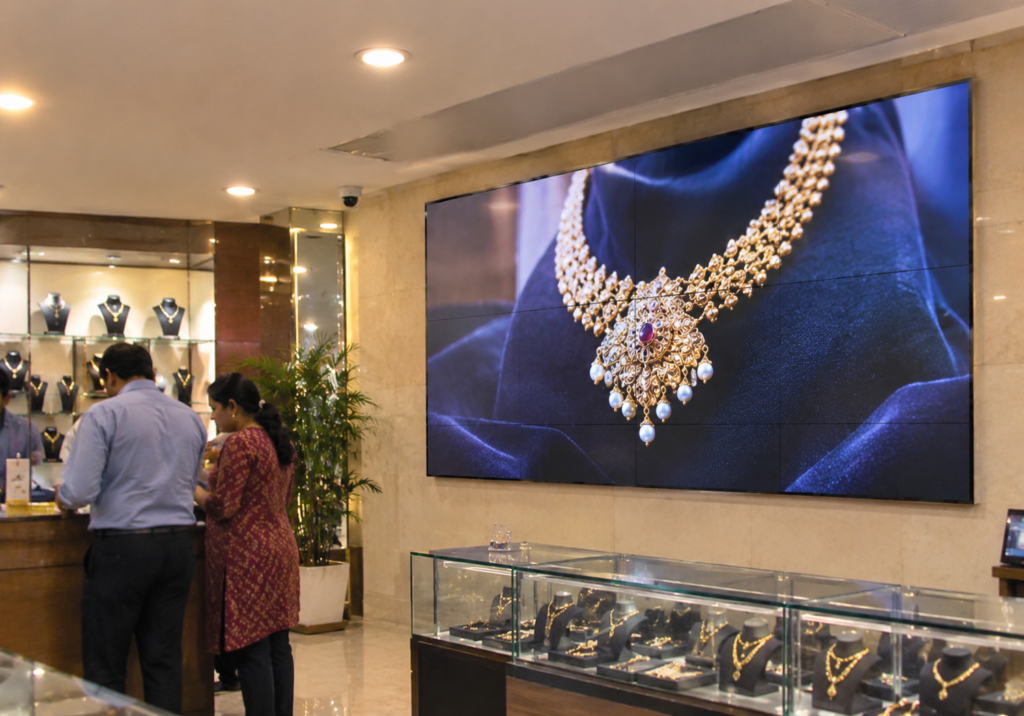
A call we get more often than you’d think goes like this. A showroom owner has just installed a new screen, and from the sales counter it looks grainy, almost like a cheap print. Nothing is broken. He simply bought a panel built for viewers eight meters away and put it three meters from his customers.
An indoor LED video wall is a serious investment, and most regrets come from one wrong spec picked early. This guide takes you through the four decisions that matter (pixel pitch, cost, installation, and upkeep) in the order you’ll actually face them.
Already have a wall in mind? Send us the measurements and a photo of the space on WhatsApp, and we’ll suggest the right pitch before you spend a rupee.
What Makes an LED Video Wall Display Different
A video wall used to mean a grid of LCD TVs with thick black bezel lines cutting through the picture. A modern LED video wall display works differently. It’s built from small cabinets packed with light-emitting diodes that lock together with no visible gaps, so a 10 x 6 ft surface shows one continuous image.
Indoor panels run far dimmer than outdoor ones, usually 600 to 1,200 nits against 5,000 or more outside. That’s why putting an outdoor panel in a hotel lobby is a bad idea. It’s harsh on the eyes and burns electricity for no reason.
Pixel Pitch, the Spec That Decides Everything
Pixel pitch is the gap in millimeters between the centers of two neighboring pixels (the same idea as dot pitch on monitors). Smaller number, sharper picture, higher bill.
The rule we use on site is simple. Pitch in mm roughly equals the closest comfortable viewing distance in meters. For relaxed viewing, double it.
- P1.2 to P1.5 for boardrooms, control rooms, and studios, where people sit within two meters.
- P1.8 to P2.5 suits showrooms, retail interiors, and reception areas. Most of our indoor clients land here.
- P3 to P4 works for banquet halls, auditoriums, malls, and places of worship with audiences four meters back or more.
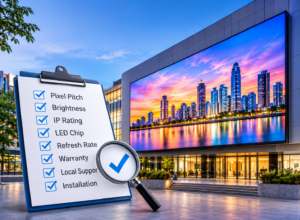
Other specs to check on any quote
If the wall will ever be filmed or live-streamed (weddings, church services, product launches), ask for a refresh rate of at least 3,840 Hz. Lower rates show rolling lines on phone cameras. Ask whether modules are SMD or COB, too. COB handles knocks better, which helps in public spaces where people touch the screen. And insist on front-service cabinets if the wall sits flush against masonry, because rear access won’t exist.
What Decides the Cost of an Indoor LED Video Wall
Two walls of the same size can come with very different quotes, and the gap usually traces back to a handful of factors.
Pixel pitch is the biggest one. Each step finer packs more LEDs into every square foot, so a P1.8 wall costs noticeably more than a P2.5 wall of identical size. After that come the LED chip source and brand, the quality of the power supplies, refresh rate, and the length of the warranty. A quote that looks surprisingly cheap often cuts corners on exactly these parts.
The panels also aren’t the whole bill. When comparing quotes, check whether each one includes:
- the video processor or controller
- the mounting structure and any civil work
- electrical cabling, earthing, and a dedicated circuit
- content design for the first campaign
- an annual maintenance contract after the warranty ends
Our honest advice? Don’t buy the finest pitch on offer. Buy the right one for your viewing distance. The budget saved by choosing P2.5 over P1.8 in a showroom often pays for good content, which is what customers actually notice. For an accurate figure, a site visit beats any price list, because wall size, structure and power access change the final number.
Where Video Wall Advertising Works Indoors
Video wall advertising earns its keep wherever people wait or wander: mall atriums, jewellery showrooms, car dealerships, hospital lobbies and airport lounges. Moving content catches the eye in a way printed standees can’t, and you can change offers in minutes without reprinting anything.
A digital video wall at the front desk works well alongside reception sign boards, with the fixed sign carrying your name and the screen telling the story. If visitors need to search or browse, add interactive kiosks nearby so the wall stays a display and doesn’t become a queue. And keep the on-screen content consistent with your logo, fonts and colours. Strong business identity design makes a wall look like part of your brand rather than a rented TV.
How Indoor LED Video Wall Installation Works
A typical indoor job takes three to seven days once panels arrive. Here’s the order:
- Site survey, covering wall strength, power points, ventilation and sightlines.
- Structure. Brick walls take a wall-mounted frame. Gypsum partitions usually need a floor-standing frame behind them.
- Electrical, meaning a dedicated circuit, proper earthing and an MCB sized for peak load.
- Cabinet assembly, colour calibration and setting up the controller for digital signage playback.
One mistake we see repeatedly is an AC vent blowing straight onto the screen. The temperature swing stresses components and shortens their life. Move the vent or the wall.
Keeping Your LED Video Wall Display Looking New
Maintenance is lighter than people expect, but it isn’t zero. Dust the surface with a soft dry brush or microfibre cloth. Never use water or glass cleaner.
During Kolkata’s monsoon months, humidity is the real enemy. A digital video wall left switched off for weeks can absorb moisture, so run it for a few hours at least once a week. Also buy two to three percent spare modules from the same production batch at the time of purchase. Modules bought a year later rarely match in colour, and a mismatched patch is impossible to unsee.
Manufacturers typically rate LEDs at around 100,000 hours to half brightness. In practice, power supplies and receiving cards wear out first, so an annual check-up by your installer is money well spent.
Choosing Who Builds It
Specs matter, but service matters more over seven to ten years. Pick video wall manufacturers who stock spares locally, offer on-site support, and can show you live installations you can visit.
Frequently Asked Questions
Is an LED video wall better than an LCD video wall?
For large sizes, yes. LEDs have no bezel lines, run brighter, and last longer. LCD walls can make sense for small boardroom setups where people sit very close.
What pixel pitch should I choose for a conference room?
P1.5 to P1.8 for most rooms where the front row sits two to three meters away.
How long does an indoor LED video wall last?
Usually seven to ten years of daily commercial use, provided power supplies get serviced and the wall isn’t left idle in humid weather for long stretches.
Can I rent a digital video wall instead of buying one?
Yes, rentals are common for weddings, expos, and launches. If you’ll use it more than a few times a year, though, buying usually works out better value.
How much electricity does it use?
Average consumption is usually around a third of the peak wattage on the spec sheet, since content is rarely full-white. Your installer can estimate monthly units from your planned running hours.
Can it be mounted on a gypsum or drywall partition?
Not directly. The weight needs a floor-supported steel frame behind the partition.
Ready to Plan Your Indoor LED Video Wall?
If your viewers stand within three meters, start your shortlist at P1.8 or P2.5. If they’re further back, P3 will keep the budget in check without anyone noticing a difference. Not sure which side you’re on? Share your wall size, room photos, and requirements through our contact page, and the Shree Shyam Signages team will send a site-specific recommendation with a clear, itemized quote.